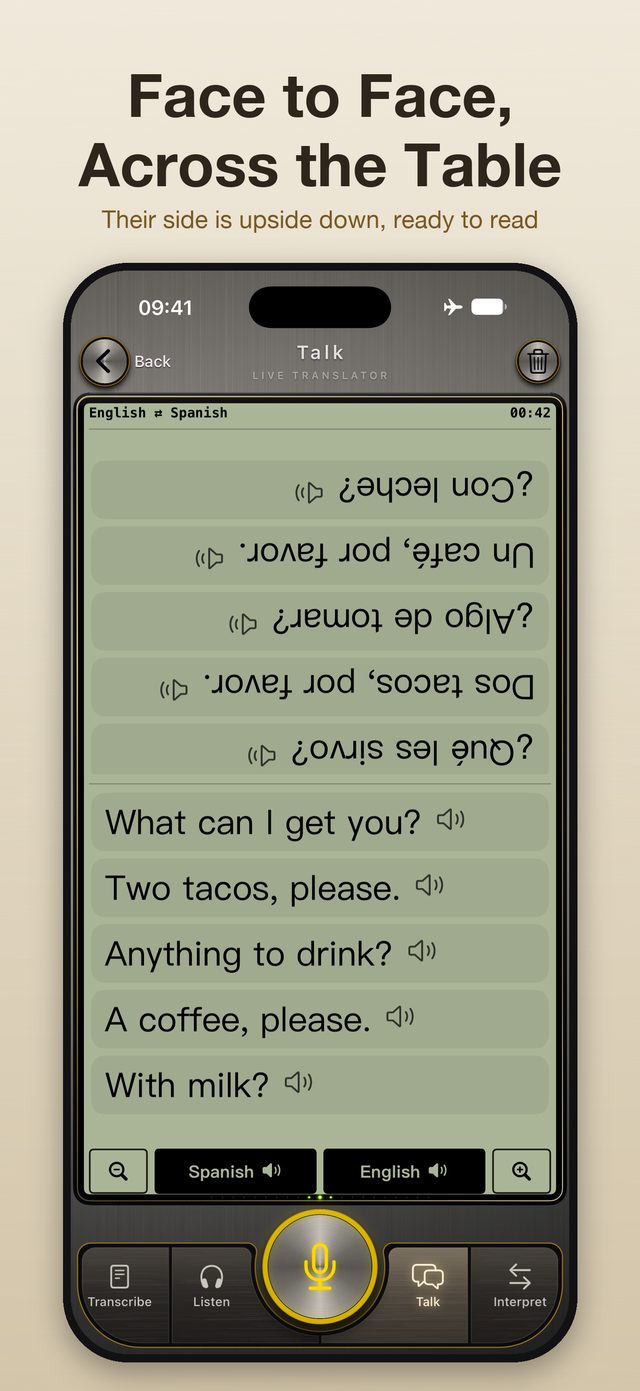
Face to face, across the table
Half the screen flips upside down for the other person. Set your iPhone on the table and each of you reads your own language: on a plane, at a market stall, at the front desk.
 Mirainami

Download once and it works anywhere, no internet needed. Speech recognition, translation and read-aloud all happen on the device.
Coming soon on theApp Store
Five ways to use it
Half the screen flips upside down for the other person. Set your iPhone on the table and each of you reads your own language: on a plane, at a market stall, at the front desk.
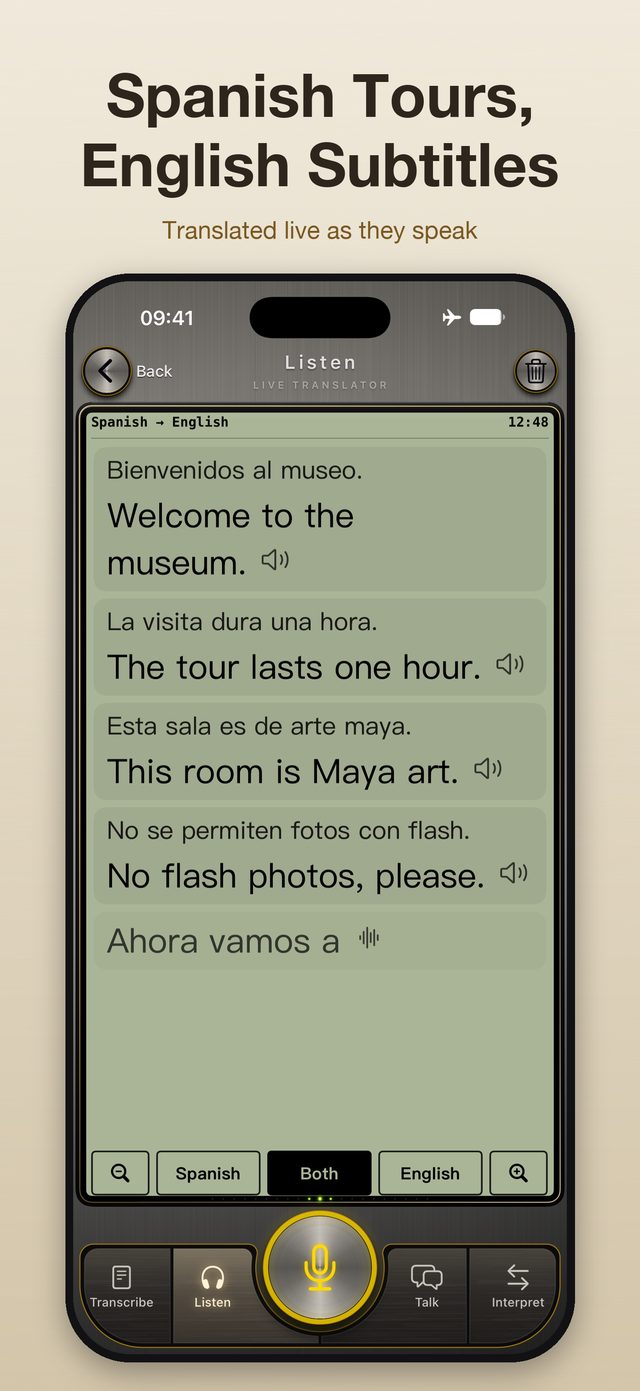
Tour guides, meetings, station announcements: subtitles in your language appear as they speak. Switch between original, translation or both with one tap.
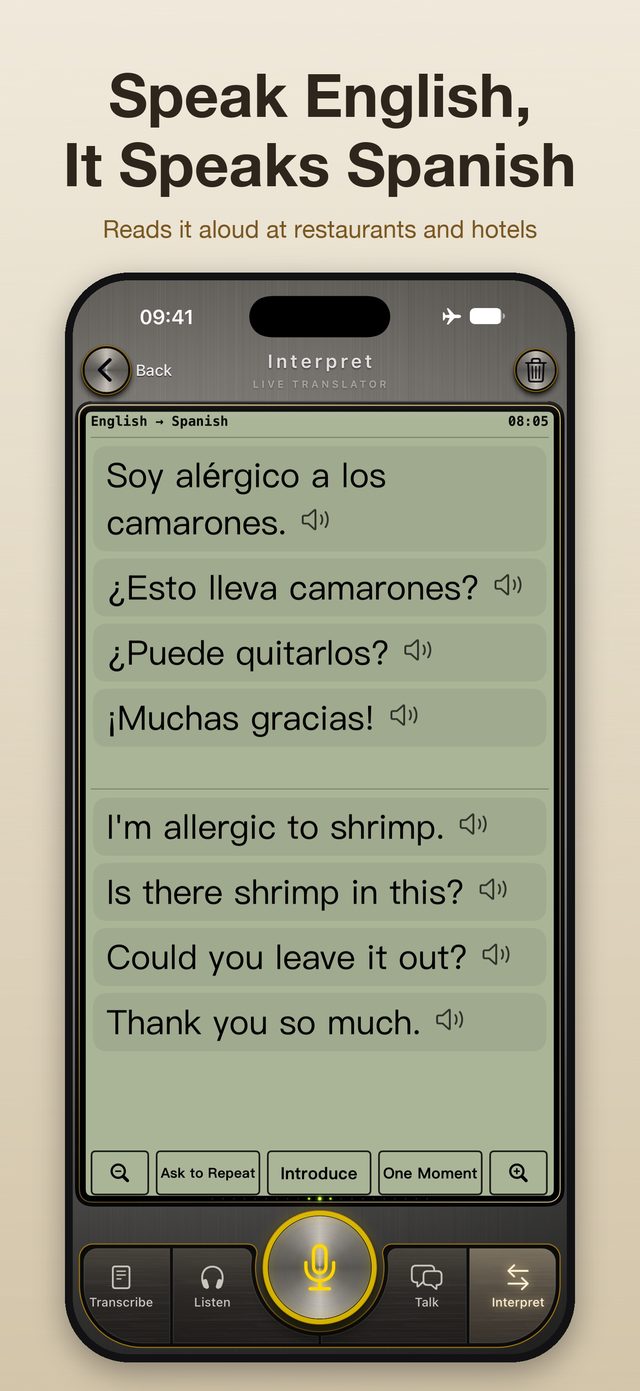
"I'm allergic to shrimp." "We have a reservation." Your iPhone says it out loud in the other person's language. "Could you say that again?" and "One moment, please" are a single tap.
Every sentence written down, with the audio saved alongside. Missed something? Play back that exact line from History.
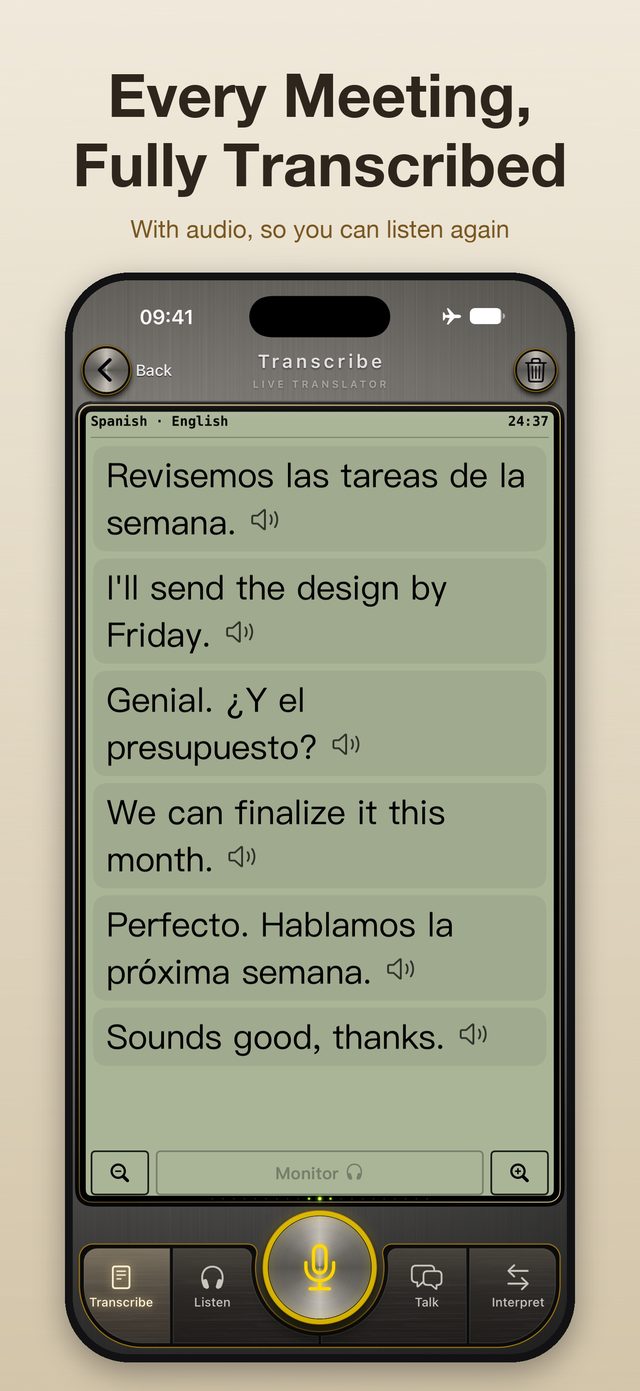
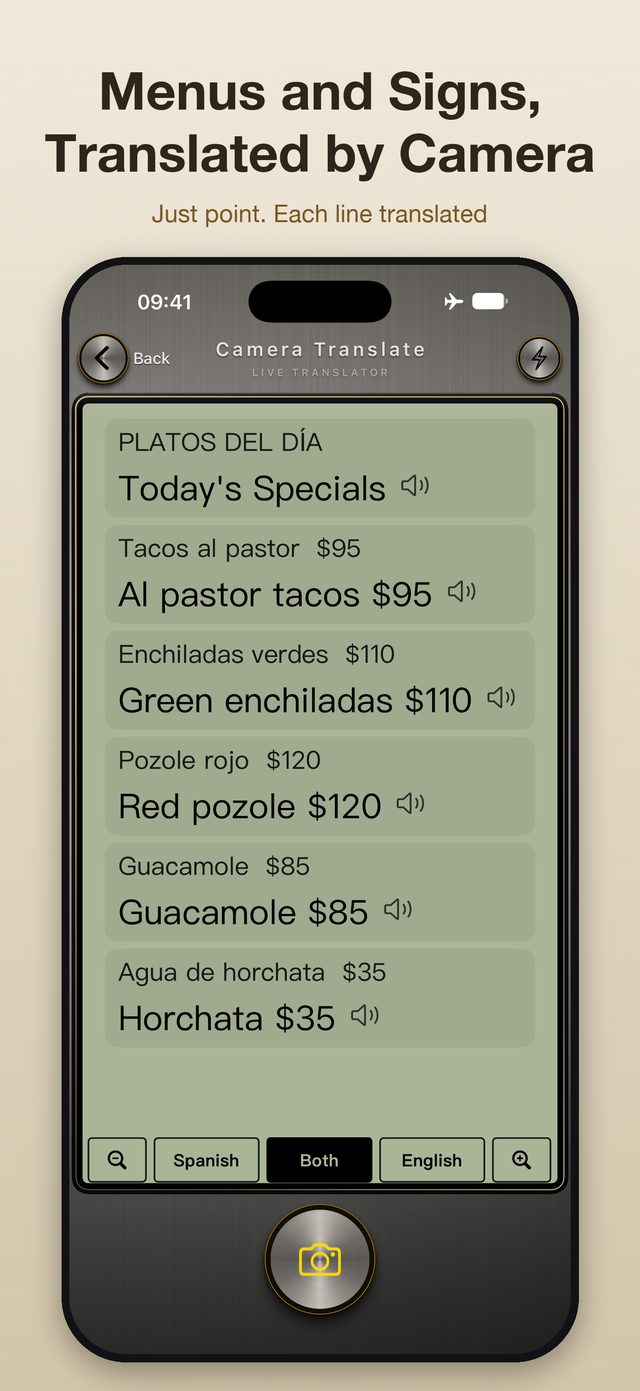
Menus and signs, translated line by line. Tap any line to make it bigger.
Privacy
Languages
Which pairs can be translated is decided by the on-device translation built into iOS.
Requirements
The dedicated offline speech engine needs iPhone 12 Pro, iPhone 13 Pro, iPhone 14 or later.
Other iPhone models running iOS 18 can also use the app. Speech recognition then uses the recognition built into iOS, so accuracy and available languages may differ.
Pricing
Then choose a monthly or yearly subscription, or buy it once with Lifetime. Subscriptions renew automatically unless canceled at least 24 hours before the end of the period; manage them in your App Store account settings.
Offline use, devices, downloads and subscriptions are covered in the FAQ.